Don't share your Infomaniak password: Use delegation instead
Service delegation is a standard practice in web service management. It allows you to isolate each person’s rights based on their role and needs:
- the accounting person only needs access to accounting documents and payment methods, so you only give them access to that,
- the IT person only needs access to technical settings, so you only give them access to that,
- etc.
This separation follows a basic principle of IT hygiene: the principle of least privilege.
With Infomaniak, this delegation is done very simply, in just a few steps. Here’s how to delegate service configuration management:
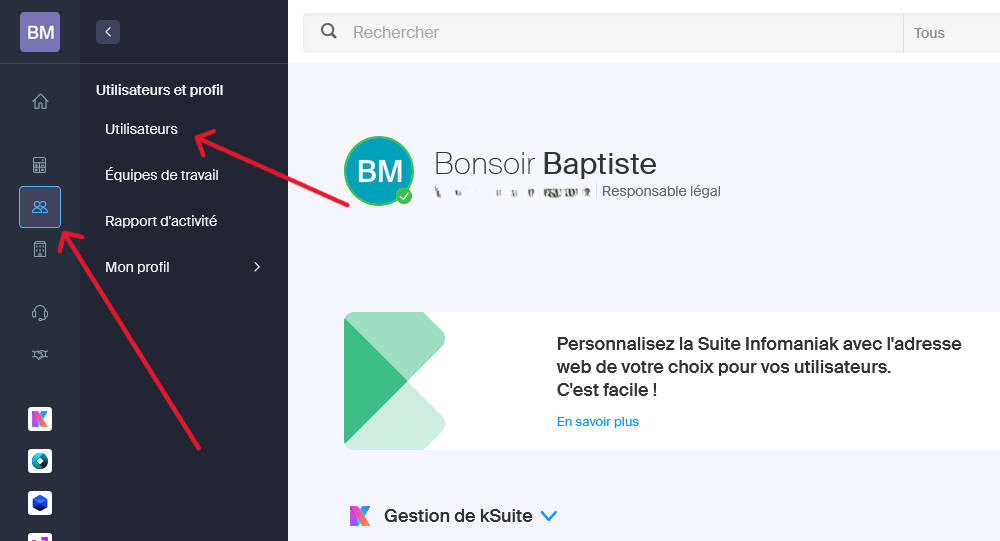
1. Go to the Infomaniak Manager. In the left menu, click on the Users and profiles tab, then on Users.
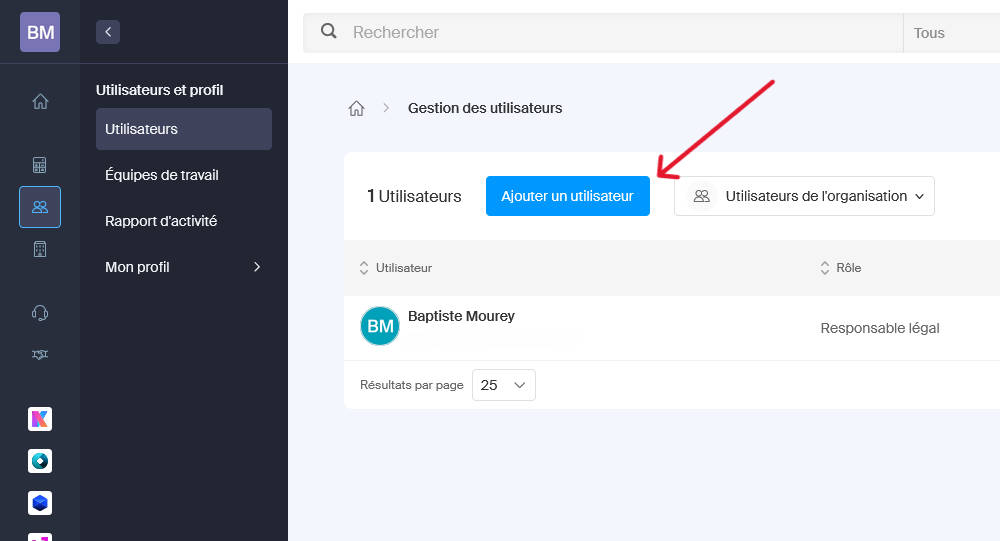
2. Click on Add a user.
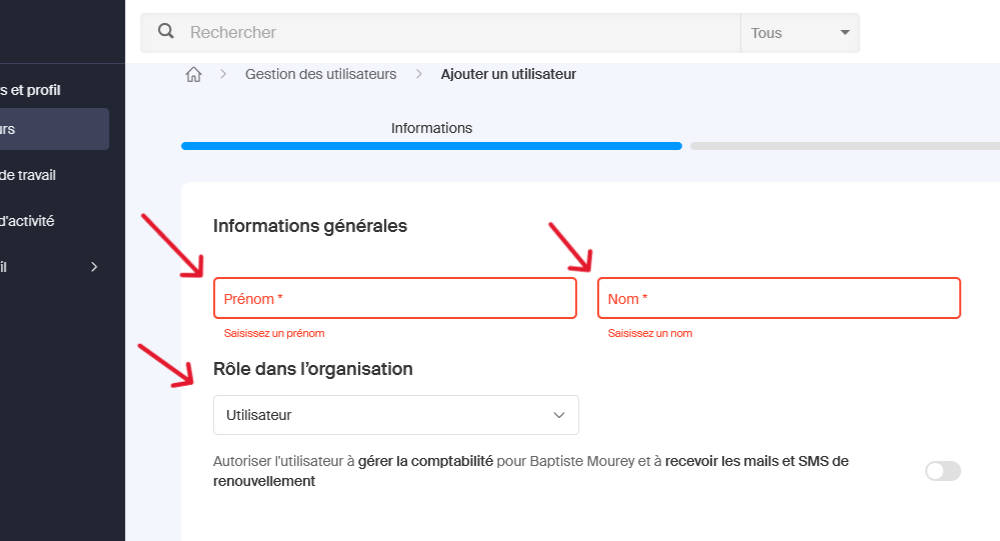
3. Enter the first name and last name of the person you’re delegating services to. Select the User role.
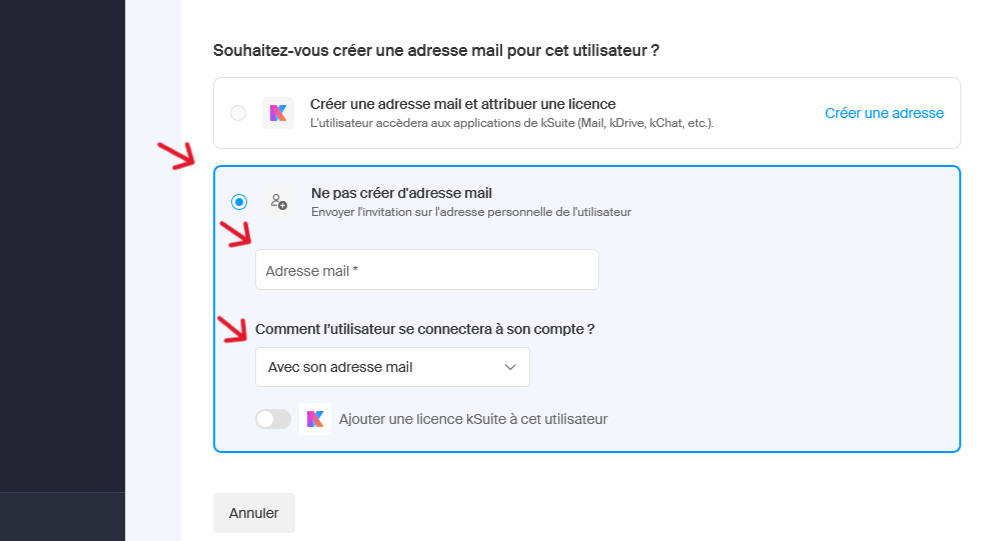
Choose Do not create an email address and enter the person’s email address as well as how they will log into their account. Normally, the person requesting delegation already has an Infomaniak account and has provided you with the email address to enter here. Confirm with the blue button at the bottom right of the page.
4. The next page allows you to add the user to a team, which is optional. Don’t fill in anything and confirm.
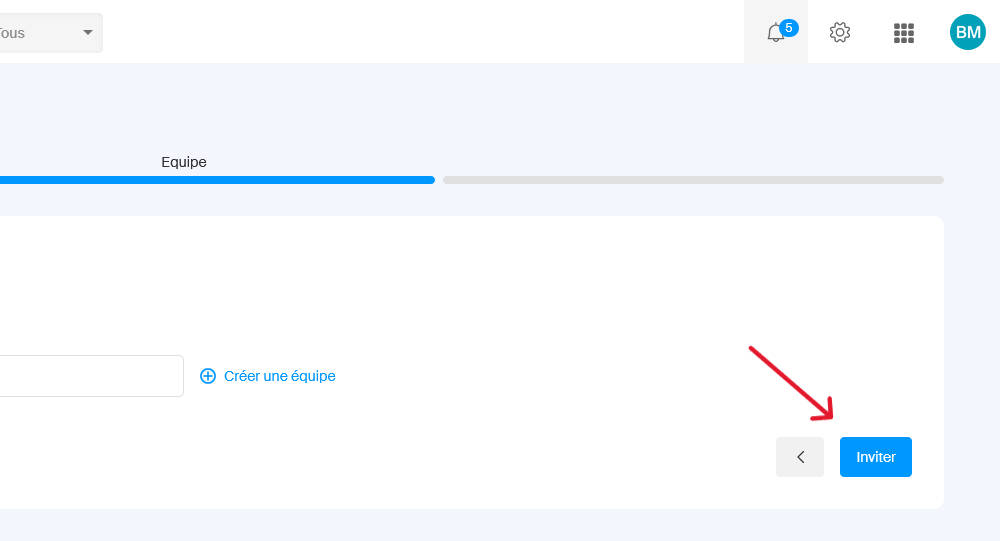
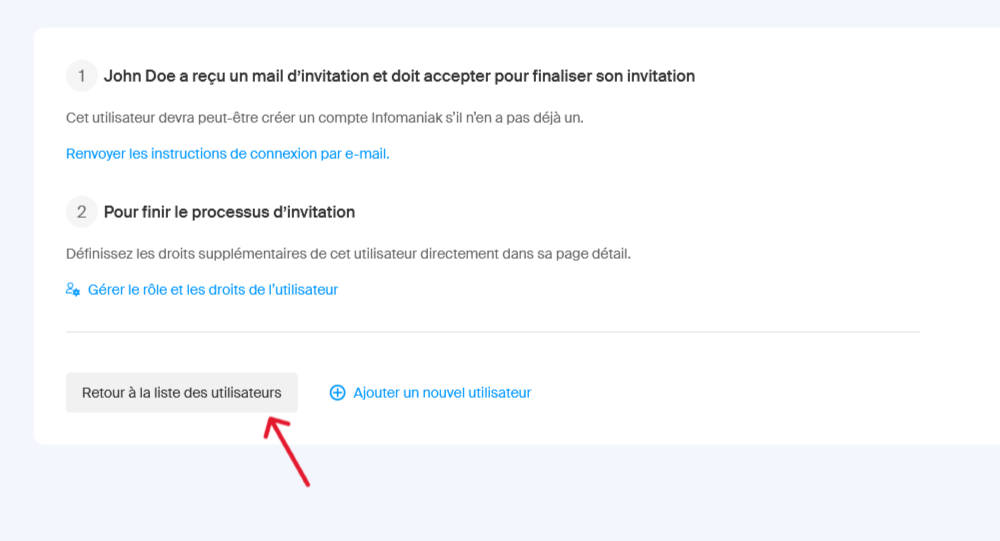
5. The user is now created in your account and the delegate is notified by email (validation on their part is required). Click on Back to user list.
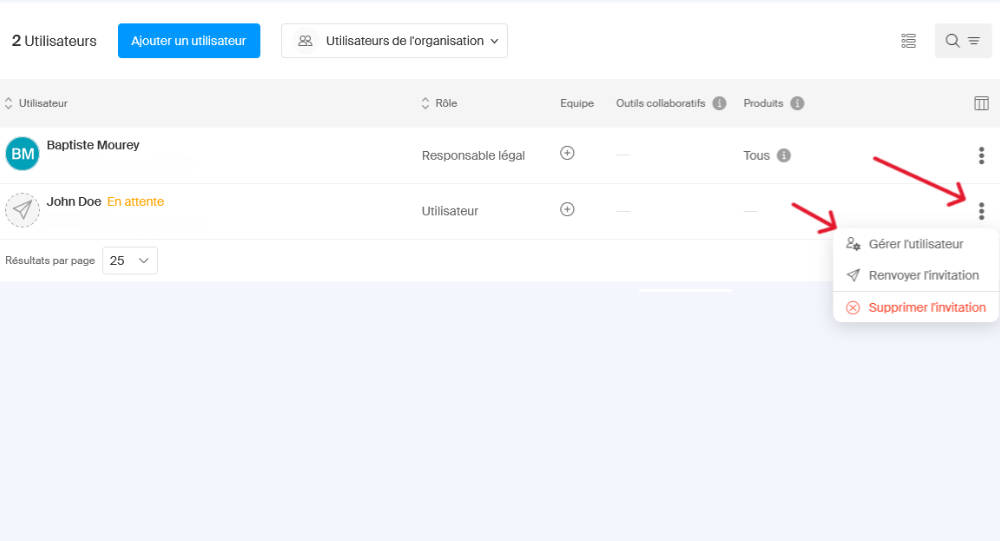
6. Now you need to select the services to delegate. On the line for the newly created user, click on the three dots then on Manage user.
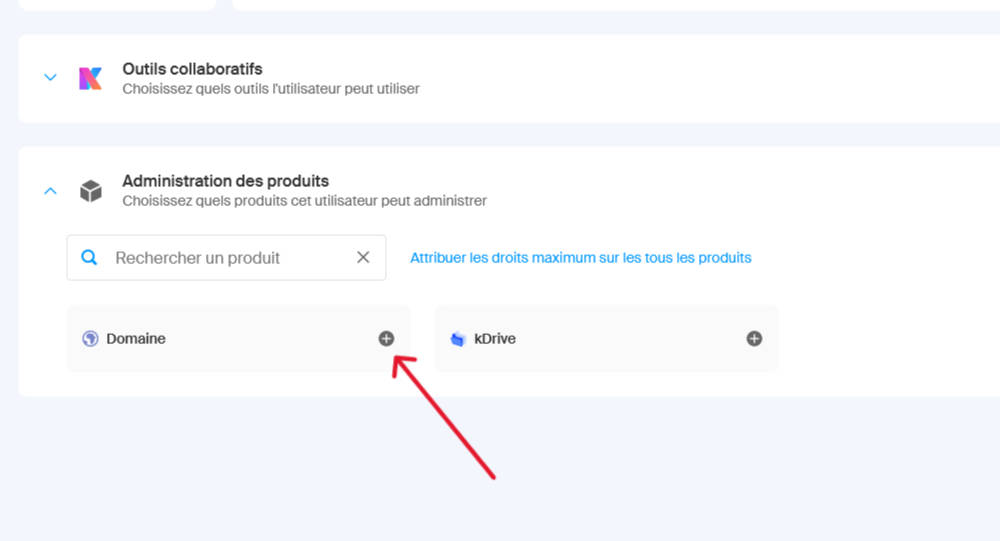
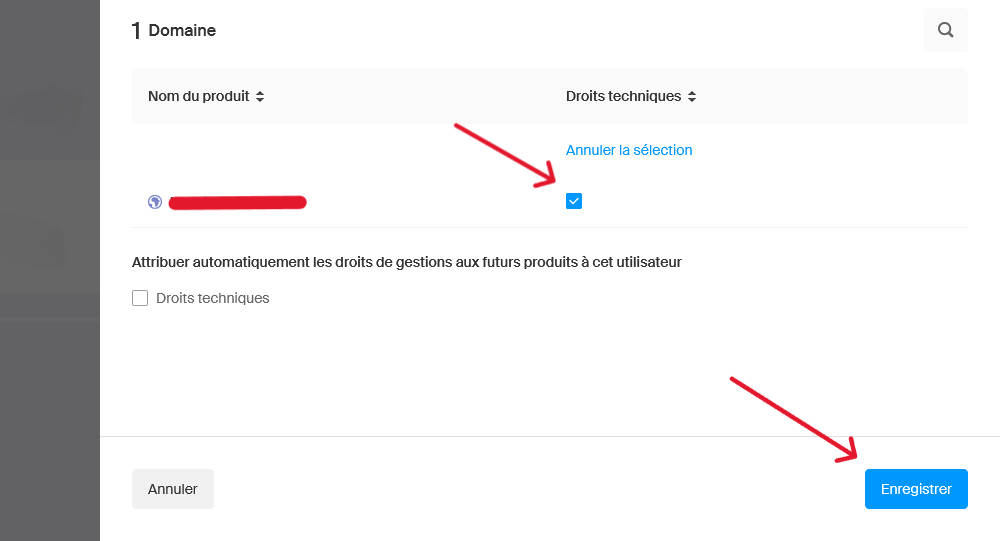
For this example, I want to delegate the management of a domain name. I open Product administration and for the Domain button I click on +.
The list of domains appears. Select the domain(s) you want to delegate management rights to, then click Save.
That’s it. Once the delegate has validated their access via the email received, they will be able to manage the domain settings as they wish.